Introduction
Xposed-like / LSPosed style framework plugin loading system, supporting both Java and Native Hook.
Examples
1. Hook Normal App
Preparation
- Target App to be hooked
- Hook plugin APK
- Connect to device terminal and execute apmt command to load the hook plugin
Target App Code
public class MainActivity extends AppCompatActivity {

    static {
        System.loadLibrary("test");
    }

    @Override
    protected void onCreate(Bundle savedInstanceState) {
        super.onCreate(savedInstanceState);
        EdgeToEdge.enable(this);
        setContentView(R.layout.activity_main);
        ViewCompat.setOnApplyWindowInsetsListener(findViewById(R.id.main), (v, insets) -> {
            Insets systemBars = insets.getInsets(WindowInsetsCompat.Type.systemBars());
            v.setPadding(systemBars.left, systemBars.top, systemBars.right, systemBars.bottom);
            return insets;
        });

        Log.d("___TestApp___", "call onCreate");
        Log.d("___TestApp___", "call stringFromJNI(\"haha\") return:" + stringFromJNI("haha"));
        Log.d("___TestApp___", "call add(10, 5) return:" + add(10, 5));
        Log.d("___TestApp___", "call add(1, 5) return:" + add(1, 5));
    }

    public native String stringFromJNI(String str);

    public native int add(int a, int b);
}
Hook Plugin Code
public class Entry {

    private static final String TAG = "___HKAPP___";
    private static Context globalContext;

    public static void appMain(ClassLoader loader, Context context, String appClass, String pkg, String process) {
        Log.d(TAG, "appClass=" + appClass + ", filesDir=" + context.getFilesDir() + ", pid=" + Process.myPid() + ", process=" + process);
        if (process.contains("sandboxed_process")) {
            return;// Ignore webview related processes for now
        }
        if (pkg.equals("com.armcloud.testapp")) {
            try {
                Log.d(TAG, "do hookTestApp");
                Class<?> MainActivity = loader.loadClass("com.armcloud.testapp.MainActivity");
                XSHelpers.findAndHookMethod(MainActivity, "stringFromJNI", String.class, new XC_MethodHook() {
                    @Override
                    protected void beforeHookedMethod(MethodHookParam param) throws Throwable {
                        super.beforeHookedMethod(param);
                        Log.d(TAG, "call MainActivity->stringFromJNI arg=" + param.args[0]);
                    }

                    @Override
                    protected void afterHookedMethod(MethodHookParam param) throws Throwable {
                        super.afterHookedMethod(param);
                        Log.d(TAG, "call stringFromJNI return:" + param.getResult());
                        param.setResult("byebye");
                    }
                });

                // android.app.Activity
                XSHelpers.findAndHookMethod(Activity.class, "onCreate", Bundle.class, new XC_MethodHook() {
                    @Override
                    protected void beforeHookedMethod(MethodHookParam param) throws Throwable {
                        super.beforeHookedMethod(param);
                        Log.d(TAG, "call MainActivity->onCreate:" + param.args[0]);
                    }
                });
                Log.d(TAG, "exit hookTestApp");
            } catch (Exception e) {
                Log.d(TAG, "hookTestApp failed:\n" + Log.getStackTraceString(e));
            }
        }
    }
}
Execute apmt command to load plugin
Import the hook plugin APK to the phone (in this example, to SD card path)

Add plugin

Prompt "add Patch:appdemo success" means the plugin was added successfully.
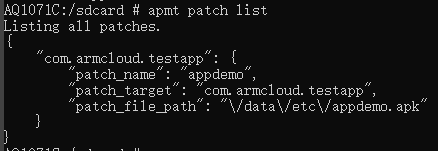
You can also check with "apmt patch list":
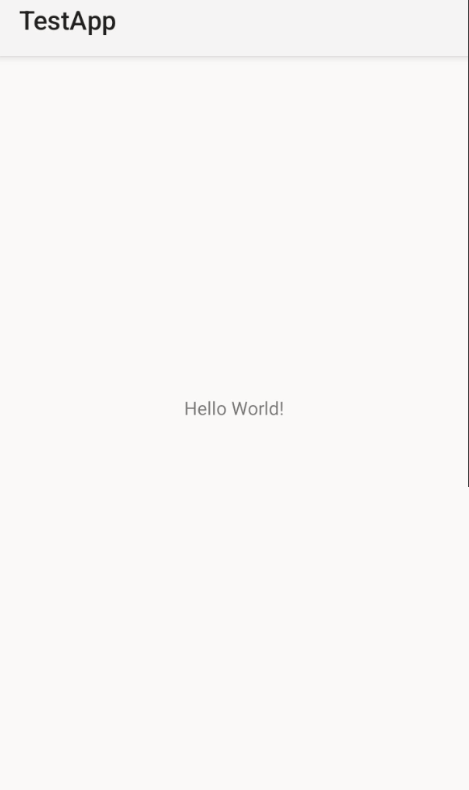
Run the target hooked APK, enable logcat, and verify the result:
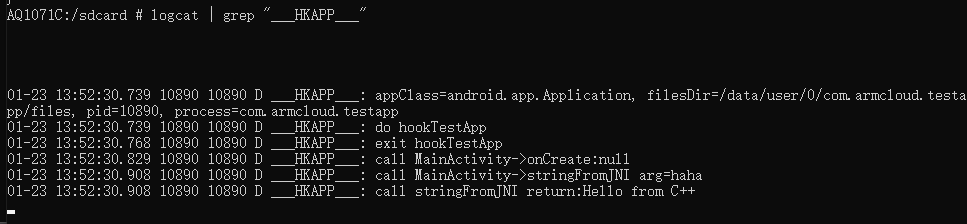
You can see the logs printed by the hook plugin, indicating successful hooking.
2. Hook SystemServer
Preparation
- Hook plugin APK
- Connect to device terminal and execute apmt command to load the hook plugin
Hook Plugin Code
public class Entry {
    private static final String TAG = "___HK_SysServer___";

    public static void systemMain(ClassLoader classLoader, String pkg, String processName) {
        doHook(classLoader);
    }

    private static void doHook(ClassLoader classLoader) {
        try {

            @SuppressLint("PrivateApi")
            Class<?> timingsTraceAndSlog = classLoader.loadClass("com.android.server.utils.TimingsTraceAndSlog");
            XSHelpers.findAndHookMethod("com.android.server.SystemServer", classLoader, "startBootstrapServices",
                    timingsTraceAndSlog, new XC_MethodHook() {
                        @Override
                        protected void beforeHookedMethod(MethodHookParam param) throws Throwable {
                            super.beforeHookedMethod(param);
                            Log.d(TAG, "before call startBootstrapServices");
                        }

                        @Override
                        protected void afterHookedMethod(MethodHookParam param) throws Throwable {
                            super.afterHookedMethod(param);
                            Log.d(TAG, "after call startBootstrapServices");
                        }
                    });
            Log.d(TAG, "load system hook ok");
        } catch (Exception ex) {
            ex.printStackTrace();
            Log.d(TAG, "doHook failed:" + Log.getStackTraceString(ex));
        }
    }
}
Execute apmt command to load plugin
Import the hook plugin APK to the phone (in this example, to SD card path)

Add plugin
Note: For hooking SystemServer, -p must be specified as "android"

Reboot the device, enable logcat, and verify the result:

You can see the logs printed by the hook plugin, indicating successful hooking.
Terminology
1. Plugin Operations
This framework uses "apmt commands" to manage plugins.
2. Plugin
Write hook plugins through "Custom Plugin", then load them using plugin operation commands.
apmt Commands
Required Parameter
apmt patch
Basic Operations
1. Add Patch Package
apmt patch add -n test -p com.armcloud.testapp -f /sdcard/test.apk
2. Delete Patch Package
apmt patch del -n test
3. List Patch Packages
apmt patch list
4. Show Help Information
apmt patch help
All Parameters
| Parameter | Description |
|---|---|
| -n | Plugin name |
| -p | Target package name to apply the plugin |
| -u | URL to download plugin (when using URL) |
| -f | Local plugin file path |
Custom Plugin Development
1. Hook Normal App
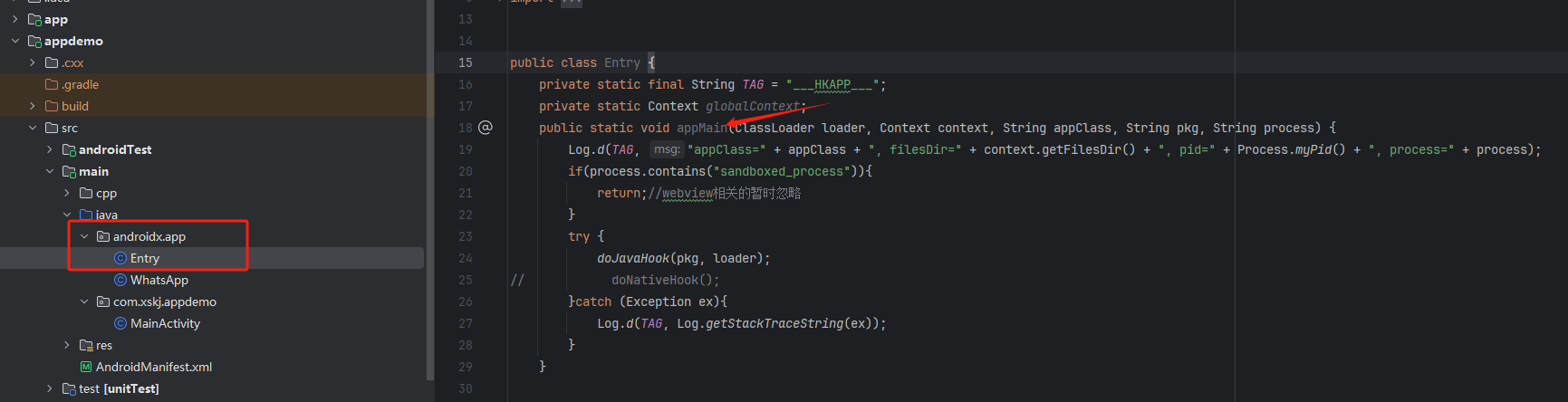
- Entry class must be named:
androidx.app.Entry - Entry method must be:
public static void appMain(
    ClassLoader loader,     // ClassLoader
    Context context,        // Context
    String appClass,        // Package name
    String process          // Process name
)
2. Hook SystemServer
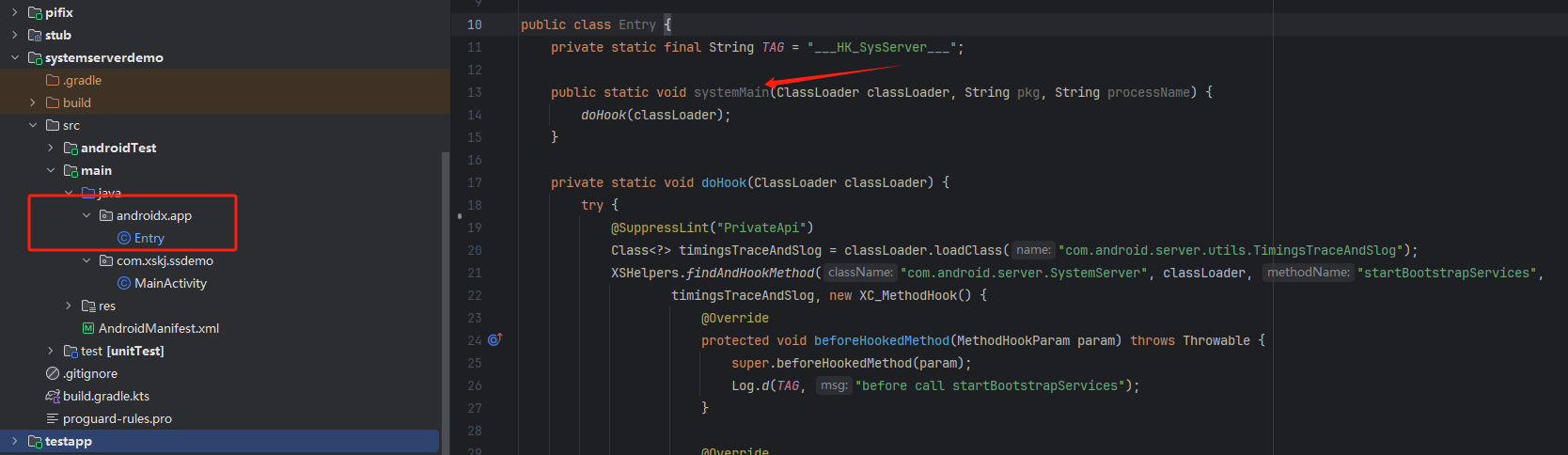
- Entry class must be named:
androidx.app.Entry - Entry method must be:
public static void systemMain(
    ClassLoader classLoader,   // ClassLoader
    String pkg,                // Package name, default "android"
    String processName         // Process name
)
Demo Download
Click to download ArmCloudXposeDemo